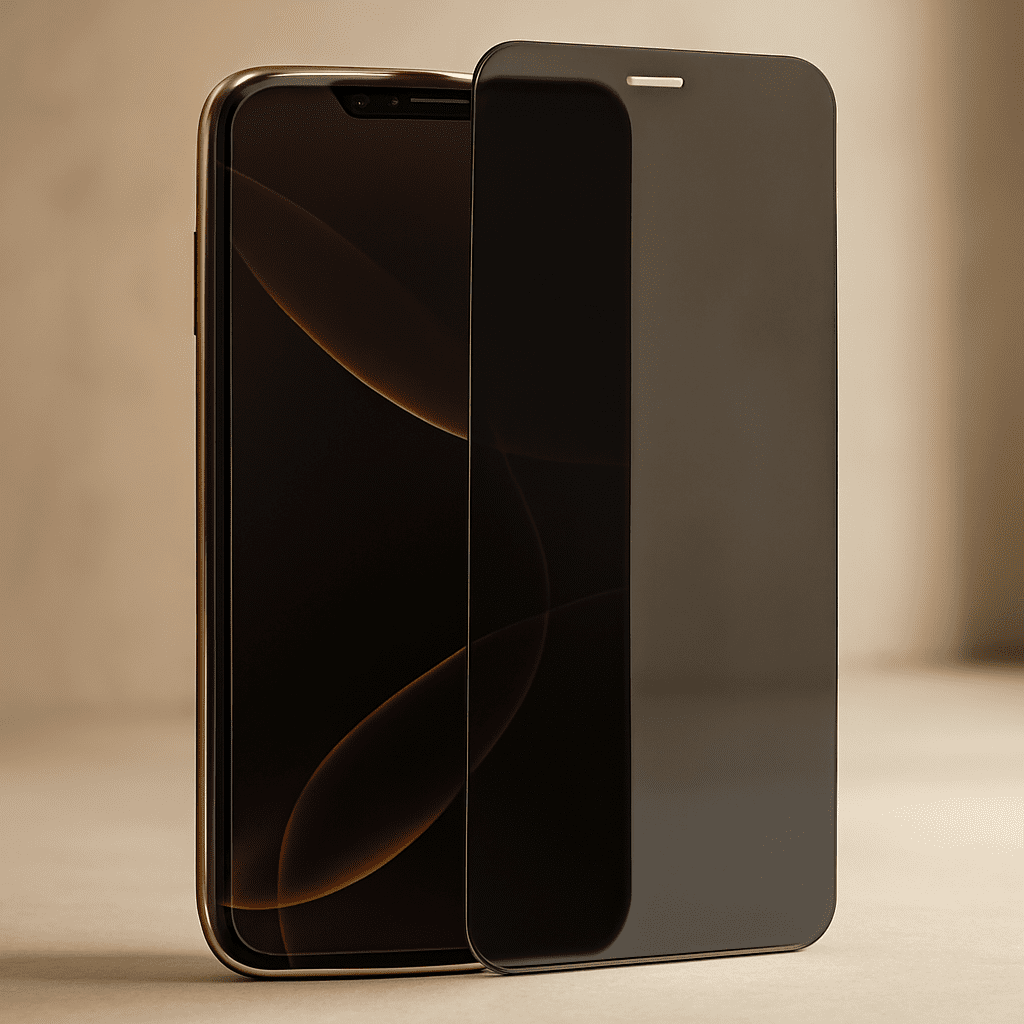
Choose a privacy protector made for the exact screen and check its viewing angle before buying. The filter limits how clearly the display can be seen from some positions beside the user. A privacy screen for a monitor works on the same general principle as a phone filter, but size, attachment, and the direction of the protected angles differ by product.
Monitor privacy screen: how the filter works
Many filters use a layer of tiny louvers that direct light toward the person facing the display. From farther to the side, the screen appears darker or less legible. The intended user still sees the picture from the normal viewing position, although the image can look dimmer than it would without the layer.
A privacy screen protector reduces visibility from certain angles; it does not make the display invisible. Someone directly behind the user may still see it, and a nearby person may see part of the screen as either person moves. Reflections, bright surroundings, screen brightness, and the content itself also affect what is visible.
A screen privacy filter should be judged in the orientation in which the device will be used. A two-way design commonly restricts views from the left and right. A four-way design can restrict views from additional directions, depending on its construction. Read the manufacturer’s diagram rather than assuming that “four-way” means the same viewing conditions for every product.
The viewing angle on a screen protector for privacy is a guide to the product’s design, not a guarantee that a screen will become unreadable at one precise point in every room. Measurement conventions vary, and some listings describe an angle on each side while others describe a total viewing cone. Check how the seller defines the number and look for a return policy that permits a practical test.
Check the fit before the privacy claim
For a phone, identify the exact model, screen size, and shape. Generations with similar names may have different camera cutouts, curved edges, or dimensions. A privacy screen protector that overlaps a case or covers a sensor may lift at the edge or interfere with use. Check compatibility with the case and any fingerprint reader, and follow the product’s installation instructions.
For a laptop or desktop display, measure the visible screen area and confirm the aspect ratio, not just the diagonal. Two screens with the same diagonal can have different width and height. A manufacturer may list a specific model, but a measurement is still helpful when a device has a less common bezel or camera arrangement.
A monitor privacy screen may attach with tabs, adhesive strips, magnets, or a frame. A removable monitor filter for privacy is convenient when several people need to view the display; a fixed one avoids taking it on and off. With a privacy screen, monitor users should check that an attachment does not cover a webcam, block a sensor, or prevent a laptop from closing as intended.
A screen privacy protector can also offer scratch protection, but privacy and physical protection are separate claims. Check the material, coverage, and any tested impact claims if protection from scratches or damage matters. A filter designed primarily to restrict viewing angles should not be assumed to prevent a cracked display.
Balance visibility and comfort
A screen protector designed for privacy can reduce brightness and alter contrast or color as it restricts side views. A user may raise screen brightness to compensate, which can affect battery life on a phone or laptop. In a sunny room, a filter that is comfortable indoors may make text harder to read. Matte finishes may reduce some reflections but can also change the apparent sharpness of the image.
For screen protector privacy, test ordinary tasks rather than a blank screen. Open a document, view a photograph, and read small text from the normal working position. Then move to each side and see what is still legible. A privacy screen filter that hides text from a nearby seat but makes the user’s own work uncomfortable may not be the right compromise.
Touch response is another practical check. On a phone, type, scroll, and try any fingerprint reader after installation. For a monitor, consider whether the filter needs to come off for color-sensitive work or a shared presentation. A removable screen filter for a monitor can be useful in a shared office, provided it can be stored without scratching or collecting dust.
Match the filter to the setting
In a crowded train, a phone user may want to reduce views from adjacent seats. A filter that restricts horizontal angles can help, but a person standing behind may still see the display. Holding the phone closer and positioning the body to shield the screen can reduce that exposure further.
At a reception desk, a monitor may face several directions as people approach. Test the actual sightlines through the monitor’s privacy screen from the waiting area and from the sides of the desk. Repositioning the display may be more effective than relying on a filter alone. Lock the screen when leaving it, and avoid displaying sensitive details longer than needed.
For shared work, consider how often a colleague must see the same screen. A narrow viewing angle that helps with privacy can make a demonstration difficult. A removable privacy protector for the display, or a deliberate switch to a separate shared screen, may suit that routine better than forcing viewers to crowd behind the user.
The filter addresses visual access to the screen. It does not prevent a screenshot, secure an account, block malware, or stop a camera positioned in the viewing area. Passwords, device locking, and appropriate handling of information remain separate parts of protecting data.
Check the real viewing position
Before buying, confirm the device model, visible dimensions, attachment, case or sensor compatibility, and which viewing directions are restricted. After installation, sit or stand where the device is normally used and check readability at a comfortable brightness. Then test from the positions of nearby people, including behind the screen user. If ordinary work becomes difficult or the relevant sightline remains clear, adjust the setup or choose another filter.